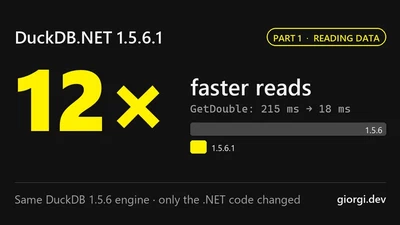
DuckDB.NET 1.5.6.1: Reading Data Up to 12× Faster
DuckDB.NET 1.5.6.1 is up to 26 times faster on the same DuckDB 1.5.6 engine. Part 1: how sealing, fast paths and less boxing make reads up to 12 times faster.

DuckDB.NET 1.5.6.1 is up to 26 times faster on the same DuckDB 1.5.6 engine. Part 1: how sealing, fast paths and less boxing make reads up to 12 times faster.
How I run work and personal Claude Code accounts side by side in herdr using CLAUDE_CONFIG_DIR, and stop session restore from using the wrong account.
DuckDB.NET 1.5.0 introduces a high-level API for scalar and table user-defined functions, named parameter support for table functions, and explicit NULL handling for scalar UDFs.
DuckDB.NET 1.5.0 brings significant performance improvements across the board. Benchmarks show 40% faster appender writes, 22% fewer allocations, and 20% faster general reads …
In this blog post I explore PostgreSQL range types and how you can use them from Entity Framework Core.
About a month ago, my open-source project EntityFramework.Exceptions failed to build on AppVeyor, the continuous integration service that I have been using for several years.
GraphQLinq is a LINQ to GraphQL library for .NET: scaffold strongly typed classes from an endpoint and write GraphQL queries checked at compile time.
LINQPad.QueryPlanVisualizer now supports LINQPad 6, Entity Framework Core and PostgreSQL, so you can view query plans for both databases in LINQPad.
In the previous article I introduced EntityFramework.Exceptions, a library which simplifies handling exceptions in Entity Framework Core but the library had one important …
EntityFramework.Exceptions gives you typed exceptions such as UniqueConstraintException in Entity Framework Core, with no database error codes to check.
LINQPad.QueryPlanVisualizer is a custom visualizer that shows SQL Server query execution plans and missing indexes directly inside LINQPad.
How to turn the Num Lock, Caps Lock and Scroll Lock LEDs on and off from C# without changing the key state, using DeviceIoControl.
Part 4 of the series: binding variables by name with anonymous objects, and compiling an expression once to evaluate it with different values.
How to use Reactive Extensions (Rx) in .NET to run a slow database query in the background and load the results into a grid in chunks.
Part 3 of the series: adding support for variables to the C# expression evaluator with Expression.Parameter and compiled lambdas.
Part 2 of the series: rewriting the C# expression evaluator with the shunting-yard algorithm and adding support for parentheses.
Part 1 of the series: a basic mathematical expression evaluator in C# built with expression trees, developed test by test.
Table of contents for a four-part series on building a mathematical expression evaluator in C# with expression trees.
An improved DynamicViewState for ASP.NET Web Forms: fully compatible with StateBag, available as a NuGet package, with performance benchmarks.
How to build a ViewBag-style dynamic wrapper around ViewState in ASP.NET Web Forms with DynamicObject, so you can drop string keys and casts.
Tips for handling the AppDomain.AssemblyResolve event in .NET: parsing assembly names, handling repeated calls and avoiding FileNotFoundException.
Build a Silverlight out-of-browser slideshow that responds to a remote control and Windows 7 taskbar buttons with Native Extensions for Silverlight.
Process.MainModule.FileName throws for elevated processes. Here is how to get the process path in .NET with QueryFullProcessImageName instead.
Process.StartTime and Process.HasExited throw an access denied Win32Exception for elevated processes. Here is why it happens and how to work around it.