The query plan, inside your IDE.
The actual execution plan of an EF Core query, one click from the debugger.

Visual Studio
Visual Studio 2022 version 17.14 or newer, including Visual Studio 2026.
Install for Visual StudioFrom the Visual Studio Marketplace, or search for “EFCore Visualizer” in Extensions › Manage Extensions.
- SQL Server
- PostgreSQL
- Oracle
- SQLite
- MySQL
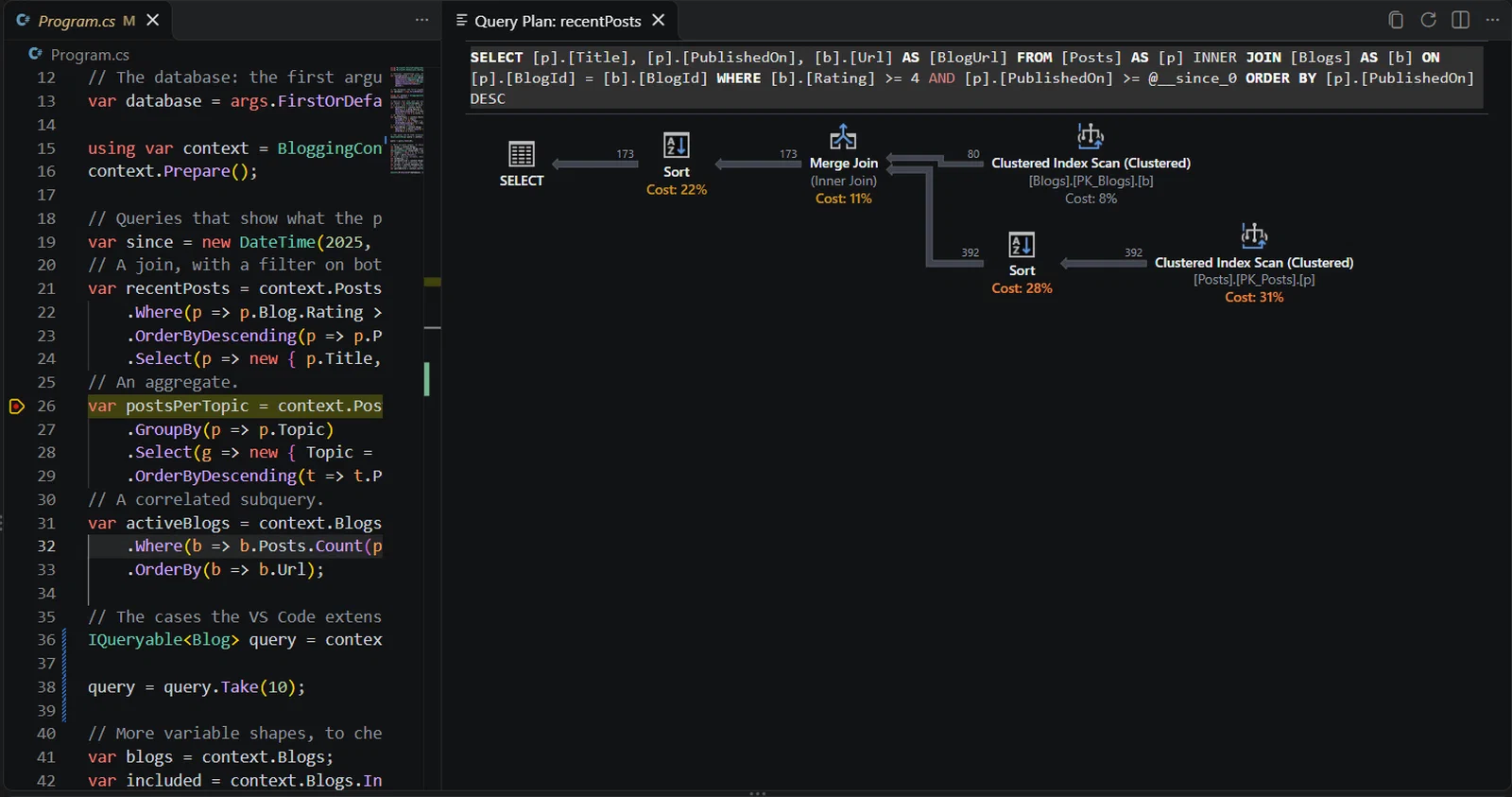
VS Code
VS Code 1.90 or newer, with Microsoft's C# extension.
Install for VS Codecode --install-extension GiorgiDalakishvili.vscode-efcore-visualizer
From the Visual Studio Marketplace, with the command above, or by searching for “EFCore Visualizer” in the Extensions view.
- SQL Server
- PostgreSQL
- Oracle
- SQLite
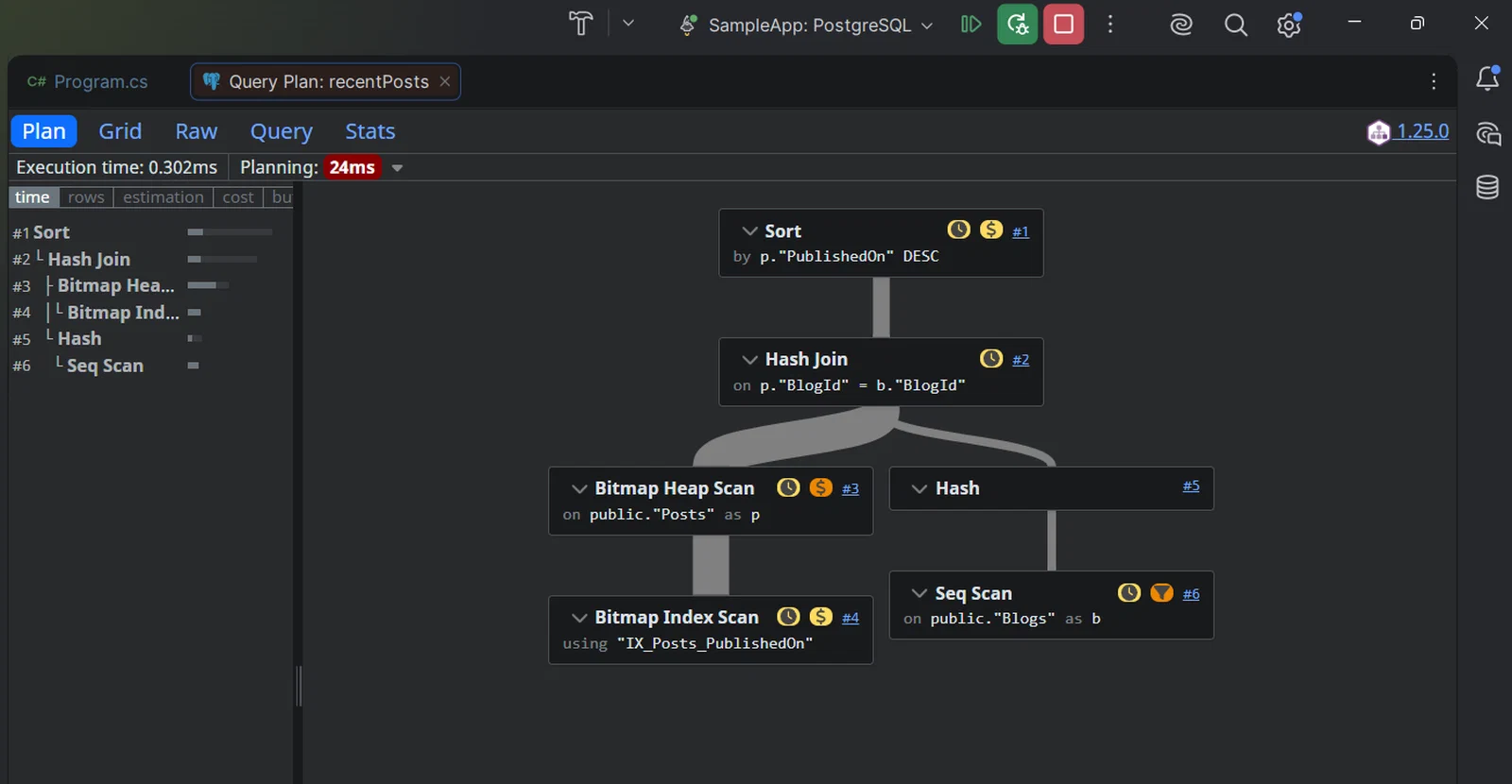
JetBrains Rider
Rider 2026.2 or newer.
Install for RiderFrom JetBrains Marketplace, or search for “EFCore Visualizer” in Settings › Plugins › Marketplace.
- SQL Server
- PostgreSQL
- Oracle
- SQLite
Installed almost 19,000 times from the Visual Studio Marketplace, rated 5.0 by 25 reviewers, and starred by 690+ developers on GitHub. Featured on Microsoft's .NET Blog.
Open it from the debugger
In Visual Studio
- Start debugging and pause on a line after your query is built.
- Hover over the
IQueryablevariable and click the magnifying glass. - Choose Query Plan Visualizer. The plan opens in its own window.

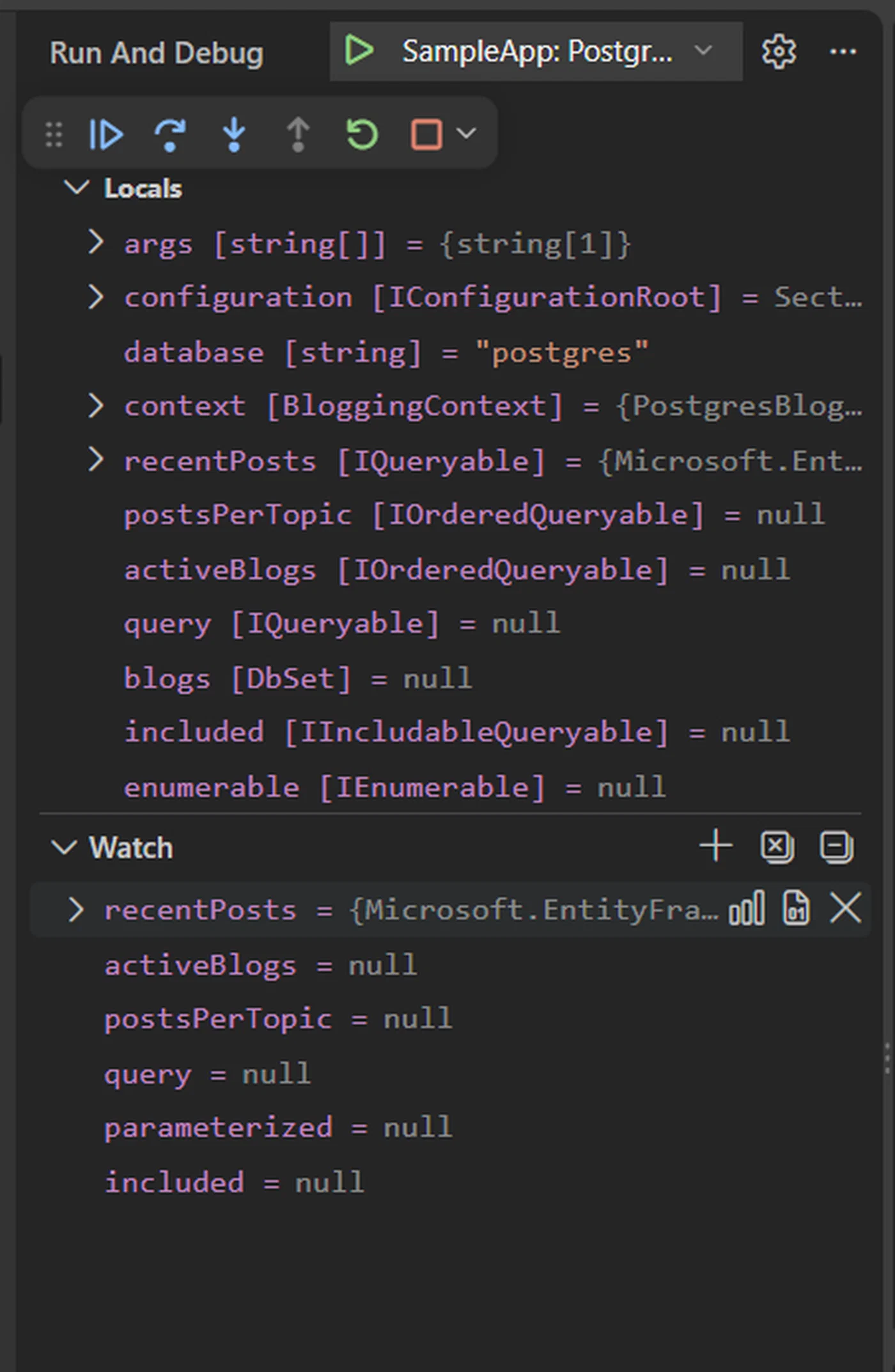
In VS Code
- Debug your app with the C# extension and pause after your query is built.
- Find the query in Variables or Watch and click Visualize Query Plan at the end of its row.
- The plan opens in a tab beside your code. Copy SQL copies the query with its parameters.
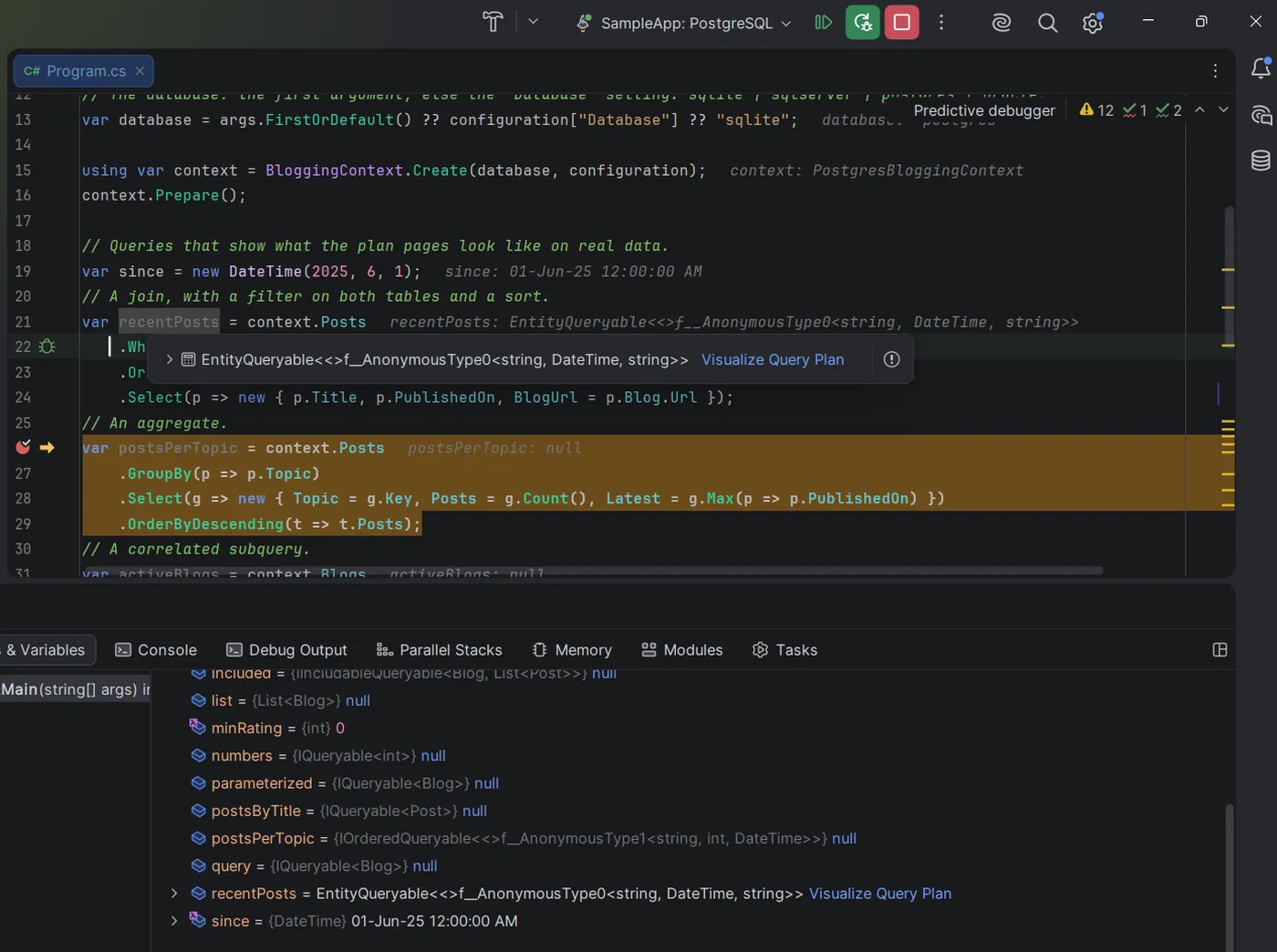
In JetBrains Rider
- Start debugging and pause after your query is built.
- Click Visualize Query Plan at the end of the query's row in Variables, Watches or the hover popup.
- The plan opens in an editor tab. Visualize the variable again to see the new plan after the query changes.
Five databases, each plan drawn the way it should be
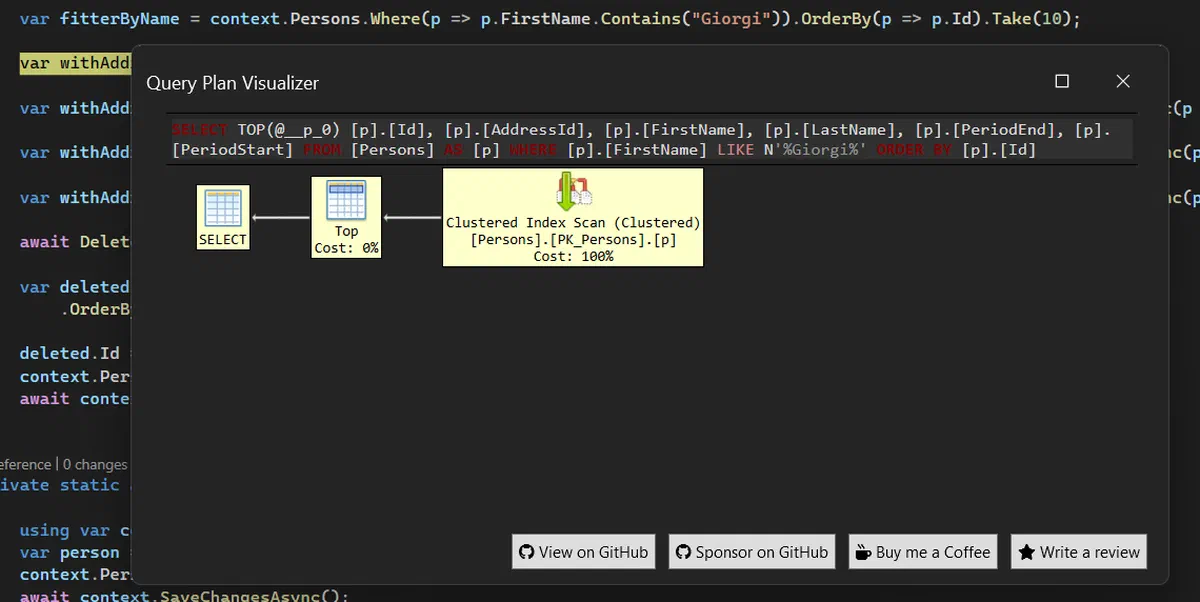
SQL Server plans are drawn as the familiar operator graph, PostgreSQL plans with pev2, and SQLite and Oracle plans as trees. Works with EF Core 7 or newer.
For SQL Server, PostgreSQL and Oracle you see the actual plan, so the visualizer runs the query. Keep that in mind before you visualize a slow query against a production database. For SQLite it asks for the estimated plan, and the query doesn't run.
| Database | Visual Studio | VS Code | Rider |
|---|---|---|---|
| SQL Server | Supported | Supported | Supported |
| PostgreSQL | Supported | Supported | Supported |
| Oracle | Supported | Supported | Supported |
| SQLite | Supported | Supported | Supported |
| MySQL | Supported | Not supported | Not supported |
See it on Visual Studio Toolbox
I demoed the visualizer on Visual Studio Toolbox, Microsoft's show about Visual Studio and its extensions.
Free and open source
EFCore Visualizer is GPL-3.0 licensed and built in the open. Found a bug, or missing your database? Tell me on GitHub.
How it works, in the launch posts: EF Core Query Plans in VS Code: EFCore Visualizer 1.0.
Plans are drawn with pev2, html-query-plan and Treeflex.